> ## Documentation Index
> Fetch the complete documentation index at: https://docs.sdf.com/llms.txt
> Use this file to discover all available pages before exploring further.
# Workspace Credentials
## Overview
As an SDF Cloud administrator, AWS and Snowflake credentials can be set within the console settings.
Before you can set your credentials on the SDF Cloud, you'll first need to authenticate with the platform and have a workspace
available or pushed to the cloud.
The SDF Cloud is only available via the **Plus** and above plans at this time. If you'd like to get access, please [inquire](https://sdf.com/inquiries)
## Setting Credentials per Workspace
Within the SDF Cloud, navigate to Settings and Workspace Settings.
Select the desired workspace and the `Create Credential Button`.
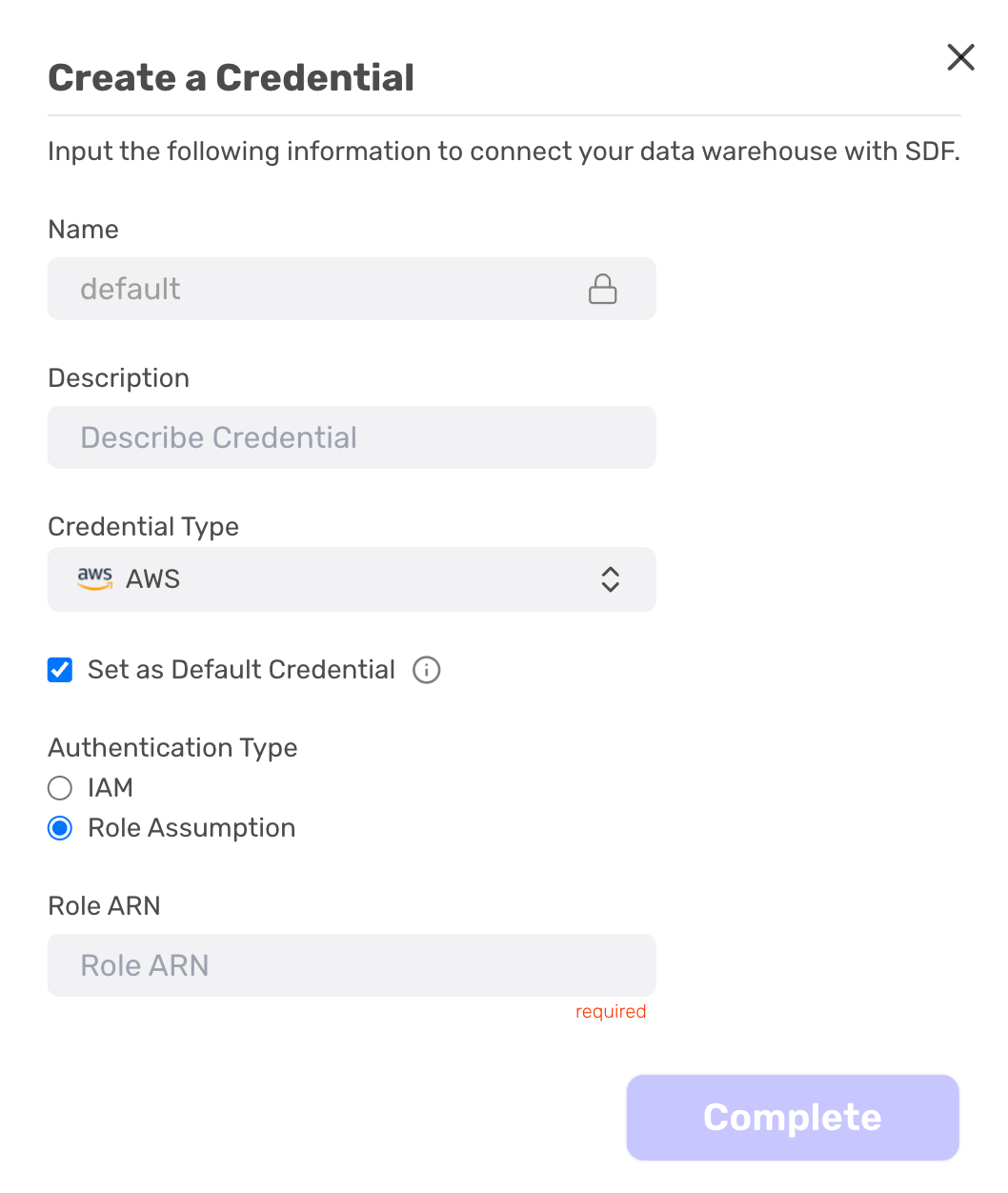
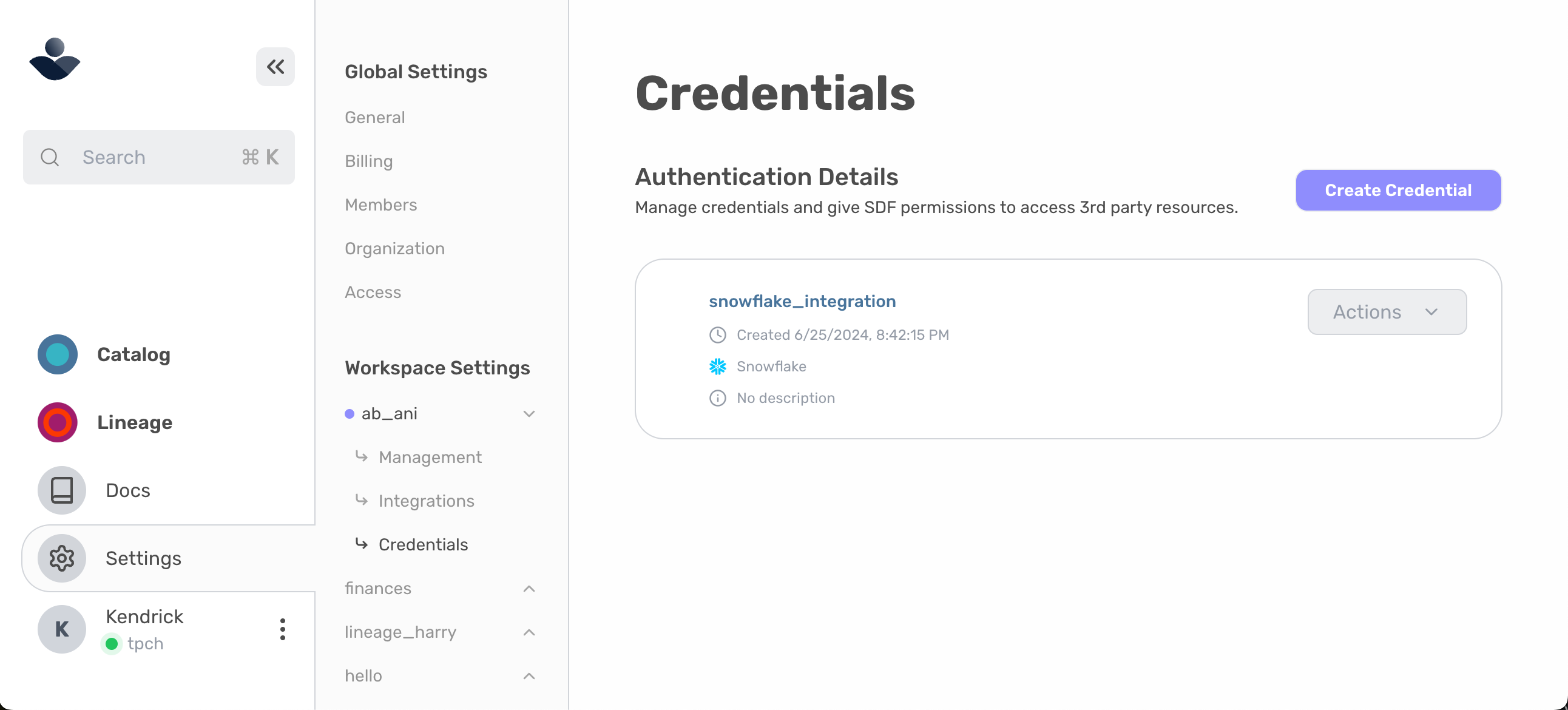 Complete the prompted information as required:
* Name: Free text field with no spaces or set to default by selecting the `Set as Default Credential` trigger.
* Description: Free text field to provide information about the credential
* Credential Type: Select from `AWS` or `Snowflake`
Complete the additional required information specific for the credential type and select `Complete`.
Complete the prompted information as required:
* Name: Free text field with no spaces or set to default by selecting the `Set as Default Credential` trigger.
* Description: Free text field to provide information about the credential
* Credential Type: Select from `AWS` or `Snowflake`
Complete the additional required information specific for the credential type and select `Complete`.
 Interested in learning more about credentials or not sure where to find the specific information needed? Access the
[Snowflake Getting Started Guide](/integrations/snowflake/getting-started) or the [AWS Getting Started Guide](/integrations/aws/redshift/getting-started).
Interested in learning more about credentials or not sure where to find the specific information needed? Access the
[Snowflake Getting Started Guide](/integrations/snowflake/getting-started) or the [AWS Getting Started Guide](/integrations/aws/redshift/getting-started).